
Gold automation for MetaTrader 5 and cTrader
ECFX XAU Redline
Lock30x + Aurum + Sovereign
Redline is available as the current MQL5 v1.150 Expert Advisor and as cTrader Store v1.2. The two editions are separate platform builds with their own marketplace delivery, version identity and testing workflow.
Evidence boundary: the downloadable manual, MT5 tutorial and panel screenshots below document earlier MT5 material. They do not prove the behaviour or performance of the current MT5 v1.150 package or cTrader v1.2 package.
MT5 edition overview
Three Gold execution styles under the MT5 Redline dashboard
The documented MT5 profile combines completed-candle pending orders, directional market entries and H1 ATR-based breakout profiles. These MT5 details must not be assumed to describe the separate cTrader build.
Official cTrader Store edition · version 1.2
A separate multi-engine Redline build for cTrader.
The current cTrader Store listing identifies product 5266 as a Gold-focused cBot with independently managed LOCK30X, Trend Complement, Aurum and Sovereign strategy families. Its reference profile uses the broker's tradable Gold instrument on M5 and may inspect completed H1 bars internally.
cTrader cBotStore version 1.2Product 5266XAUUSD / broker equivalentM5 base chartAccessRights.None
Store-displayed statistics and descriptions are marketplace records, not independently verified live-account performance. Test the exact v1.2 package and settings with your broker.
Official MetaTrader 5 tutorial
Download and backtest Redline in MetaTrader 5.
This privacy-enhanced tutorial shows how to download ECFX XAU Redline and run a historical Strategy Tester backtest in MetaTrader 5. A backtest is not a live-account statement or a guarantee of future profitability.
MetaTrader 5XAUUSDM5Download and backtest tutorial
Open tutorial on YouTube
Complete v1.11 operating and settings reference
Read the 25-page manual before running the EA.
The upgraded manual covers all three engines, factory sizing, shared-account warnings, daily and high-water protection, custom risk lines, backtesting, validation, every exposed input and release-integrity verification.
25 A4 pages20 August 2026EA reference v1.11SHA-256 manifest
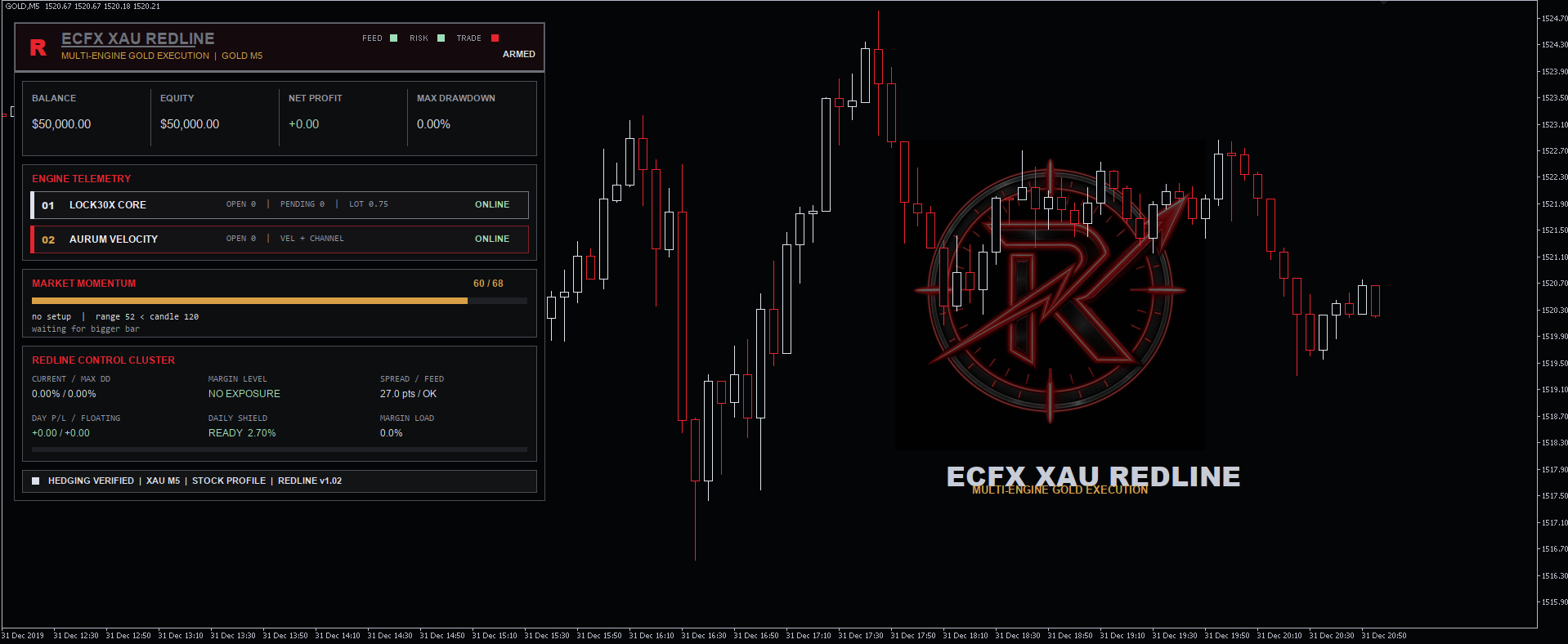
Before attaching to a chart
Start with factory defaults on the broker's Gold M5 symbol.
Confirm Hedging mode, Gold contract details, tick size, minimum stops, spread, commission, leverage, server time and sufficient M5/H1 history. Enable Algo Trading in both MT5 and the EA properties, then review Experts and Journal messages.
Shared-account warning: the stock daily guard can close positions account-wide. Review Daily_Guard_Account_Wide_Close before using Redline beside manual trades or another EA.
Risk disclosure
Automated trading is high risk. Backtests and historical simulations do not guarantee future or live performance. Broker data, spread, commission, swap, slippage, leverage, execution, symbol specification, VPS continuity and market conditions can materially alter results. Test independently and use only risk appropriate for the account.